

Why the Free POS App Store Is a Game-Changer for New Retail & Dine-In Owners
The rise of the free POS App Store has transformed how small businesses enter the market. Unlike legacy systems that require months of setup, contracts, and expensive hardware, today’s app-based POS platforms let entrepreneurs go live in minutes. Among them, PosVox Free POS stands out as the fastest, most flexible solution designed specifically for new shop owners.
Whether you’re launching a boutique, café, pop-up kiosk, or food truck, the free POS App Store offers instant access to tools that handle sales, inventory, customer data, and reporting — all without upfront costs. But not all free POS apps are equal. Many come with hidden fees, restrictive hardware requirements, or limited functionality. That’s where PosVox Free POS delivers real value: open your shop in 10 minutes, start your first sale immediately, and keep full control over your tech stack.
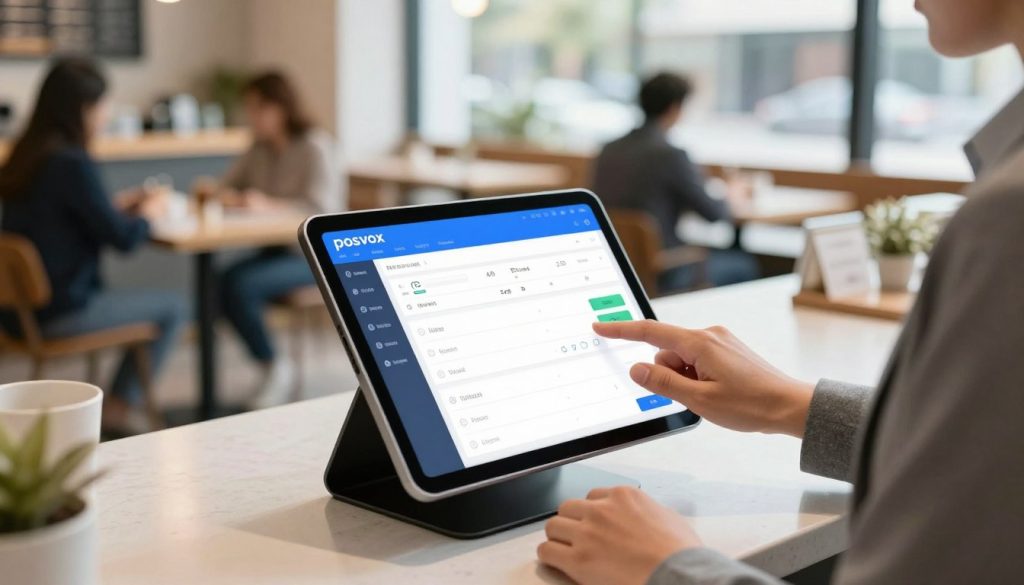
How PosVox Free POS Works: From Download to First Sale in 10 Minutes
Here’s how PosVox Free POS turns the promise of “free” into reality:
- Download the app from the App Store or Google Play — no registration required at this stage.
- Set up your store profile in under 3 minutes: name, category, location, and tax settings.
- Add your first product with a name, price, and optional barcode or image.
- Connect a payment method via Stripe or PayPal — no card reader needed initially.
- Go live and accept your first sale within 10 minutes.
That’s it. No long onboarding, no training videos, no waiting for hardware delivery. PosVox Free POS is built for speed and simplicity — so you can focus on your customers, not software setup.

Key Features That Make PosVox Free POS Stand Out in the App Store
While many free POS apps offer basic checkout, PosVox Free POS includes advanced features typically reserved for paid systems:
- Real-time inventory tracking across multiple locations or devices.
- Customer profiles & loyalty rewards to boost repeat visits.
- Cloud sync — your data is always backed up and accessible from any device.
- Multi-user roles (manager, cashier, admin) for team management.
- Customizable receipt templates and branding options.
- Exportable sales reports (daily, weekly, monthly) for financial planning.
These aren’t add-ons. They’re included in the core PosVox Free POS experience — no upgrade fees, no premium tiers, no surprise charges.

No Hardware Lock-In: Why Flexibility Matters for Growing Businesses
One of the biggest pitfalls of traditional POS systems is hardware lock-in. You’re tied to a specific brand of tablet, printer, or card reader — often requiring costly replacements when technology evolves.
PosVox Free POS eliminates this risk entirely. It runs on any modern smartphone, tablet, or laptop — even older models. You can use your own device, or integrate with third-party hardware like Bluetooth printers, cash drawers, or barcode scanners. There’s no proprietary ecosystem. No forced upgrades. Just open-source compatibility and full ownership of your tools.
This flexibility means you can scale your operations without being locked into a single vendor. As your business grows, you can add more devices, expand to new locations, or switch payment processors — all without changing your POS system.

Common Misconceptions About Free POS Systems (And Why PosVox Solves Them)
Many entrepreneurs assume that “free” means “limited.” But that’s not true with PosVox Free POS. Let’s clear up the myths:
Myth 1: Free POS apps are unreliable or insecure
Reality: PosVox Free POS uses end-to-end encryption, complies with PCI-DSS standards, and processes payments through trusted gateways like Stripe and PayPal. Security isn’t an afterthought — it’s built in.
Myth 2: Free POS systems lack support
Reality: PosVox Free POS offers 24/7 email support, a growing knowledge base, and community forums. You’re never alone when you need help.
Myth 3: Free POS apps don’t grow with your business
Reality: PosVox Free POS scales seamlessly. Whether you’re selling 5 items a day or 500, the platform adapts without extra cost or complexity.

FAQs: Everything You Need to Know About Free POS App Store & PosVox Free POS
What is a free POS App Store?
A free POS App Store is a digital marketplace where small businesses can download and install point-of-sale software at no cost. These apps allow users to manage sales, inventory, and customer data directly from mobile devices or computers. While many apps are available, only a few deliver real-world usability — especially for new shop owners.
Can I really open my shop in 10 minutes with PosVox Free POS?
Yes. PosVox Free POS is engineered for speed. From download to first sale, the entire process takes less than 10 minutes. No forms, no wait times, no technical hurdles. This is ideal for pop-ups, seasonal vendors, or anyone who needs to launch fast.
Do I need special hardware to use PosVox Free POS?
No. PosVox Free POS works on any smartphone, tablet, or laptop with internet access. You can start using it right away with just your phone. Later, you can add compatible hardware like receipt printers, barcode scanners, or cash drawers — but there’s no requirement to do so.
Is PosVox Free POS truly free forever?
Yes. The core features of PosVox Free POS are free to use indefinitely. There are no trial periods, no subscription traps, and no hidden fees. You pay only for optional add-ons like advanced reporting or custom integrations — if you choose to use them.
Can I use PosVox Free POS for both retail and dine-in businesses?
Absolutely. PosVox Free POS supports both retail and restaurant workflows. For retail, it handles individual item sales and inventory tracking. For dine-in, it includes table management, split checks, and kitchen display integration — all within the same app.
Does PosVox Free POS work offline?
Yes. PosVox Free POS allows you to continue processing sales even without internet. Transactions are stored locally and automatically sync once connectivity returns — ensuring zero downtime during power outages or weak signals.
Can I export my sales data from PosVox Free POS?
Yes. All sales, inventory, and customer data can be exported as CSV or Excel files. This makes it easy to import into accounting software like QuickBooks or Xero, or to analyze trends over time.
Is PosVox Free POS available in my country?
Yes. PosVox Free POS is available globally. It supports multiple languages, currencies, and tax rules — making it suitable for international entrepreneurs. Simply download the app from the App Store or Google Play in your region.
