Benjamin Franklin once wisely noted, “By failing to prepare, you are preparing to fail.” This is very true for today’s retailers who need the internet to run their business.
When your internet goes out, your shop can feel very quiet. A good pos system offline mode is like a safety net. It keeps your checkout running smoothly, even when the internet isn’t.
Being ready for internet failures helps keep your money coming in and keeps your customers happy. With this feature, you can keep serving customers without any big problems.
Key Takeaways of POS system Offline Mode
- Unexpected internet outages can halt sales if you lack a backup plan.
- A robust pos system offline mode ensures your business stays operational during downtime.
- Preparing for connectivity issues helps maintain a seamless checkout experience for your customers.
- Reliability is a cornerstone of building long-term trust with your local clientele.
- Proactive management of your hardware settings prevents lost revenue during technical failures.
Understanding the Risks of Internet Dependency
Ever wonder what happens to your sales when the internet goes down? Many business owners think their cloud systems will always be online. But, reality often shows us differently. Relying too much on the cloud can leave your business at risk during internet outages, causing POS downtime.
Common Causes of Network Outages
Network problems are usually unexpected and happen at the worst times. Issues like local ISP failures, severe weather, or router malfunctions can cut off your POS connectivity. This leaves your front-of-house operations frozen.
It’s frustrating to see customers waiting while your screen is stuck. Without a solid offline POS plan, you’re at the mercy of your service provider’s reliability. It’s key to prepare for these moments to keep your workflow smooth.
The Financial Impact of Downtime
The cost of being offline goes beyond just lost sales. Every minute of POS downtime means lost revenue and harm to your brand’s image. When your system fails, you can’t process payments, track inventory, or manage orders well.
Consistent POS connectivity is vital for today’s retail or restaurant settings. Recognizing these risks is the first step to a more resilient business. Investing in systems that work offline keeps your business profitable, even when technical issues arise.
How POS System Offline Mode Works
Even when the internet goes down, your business can keep going. A pos system offline mode is like a backup plan. It lets you keep taking payments without needing to be online. This way, your store can keep running, even when the internet is out.

Your system uses local hardware to record sales as they happen. This data stays safe on your device until you get back online. So, you can keep working without losing important customer or sales info.
Data Synchronization Processes
When the internet comes back, your system starts a POS data sync. It updates your cloud dashboard with all the sales data from offline. This keeps your financial reports and sales history up to date.
The software handles any issues that might come up, like duplicate entries. It smartly combines the offline data with your cloud records. This makes sure there are no mistakes and saves your team’s time after an outage.
Local Storage Capabilities
Your hardware uses local caching for POS inventory management. When you make a sale, it updates the local database right away. This lets you keep track of stock levels, even when you can’t reach the main server.
Reliability is key for these local storage features. They keep a copy of your product list and prices on the device. This way, you don’t have to stop service. Here’s how your system works during an outage.
| Feature | Online State | Offline State |
|---|---|---|
| Transaction Processing | Real-time cloud update | Stored locally on device |
| Inventory Updates | Instant sync to cloud | Queued for later sync |
| Customer Records | Accessed via cloud | Limited to local cache |
| Data Security | Encrypted cloud storage | Encrypted local storage |
Knowing how this works, you can trust your store to keep going, no matter the network. Your system is designed to protect your data and keep things moving, even offline.
Evaluating Your Current Hardware for Offline Readiness
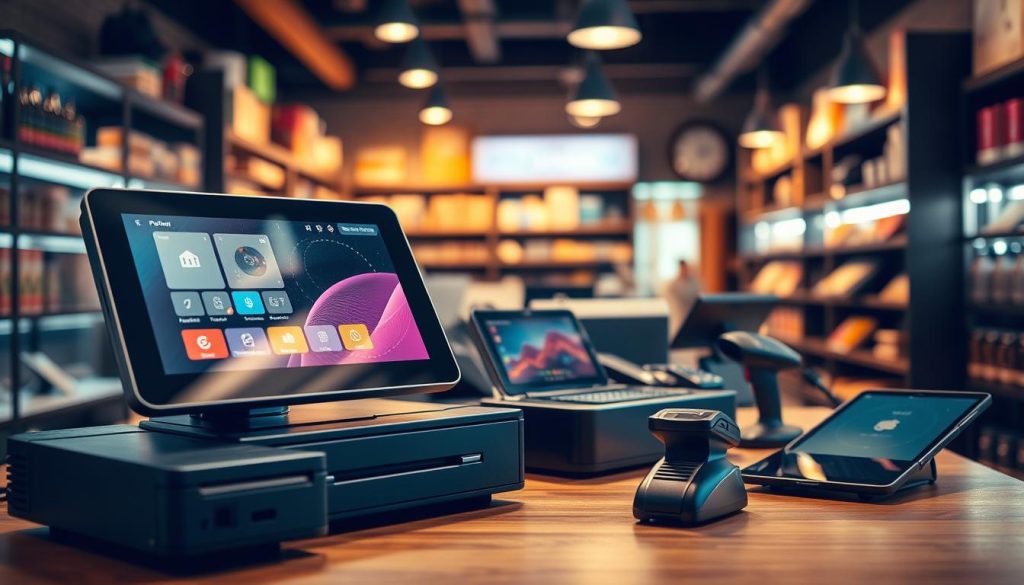
Your POS hardware is key to your store’s success. But is it ready for when the internet goes down? It’s important to check if your equipment can handle offline tasks. Making sure your offline POS works well is essential for smooth operations.
Checking Local Cache Capacity
When the internet is out, your system needs a place to store data. This is where local cache capacity is key for POS reliability. Make sure your terminal can hold sales data until the internet comes back.
Modern systems usually store data locally. But older devices might not have enough space. This could lead to data loss during long outages. Always check your manufacturer specifications to know your device’s storage limits.
Battery Backup and Power Redundancy
Outages often mean power issues too. Relying only on wall power can shut down your business. A smart move is to get an Uninterruptible Power Supply (UPS) for your POS hardware.
A good battery backup gives you time to finish transactions or safely shut down. This extra protection keeps your data safe even when the power goes out. Look for these features to keep your business running:
| Hardware Feature | Offline Benefit | Recommended Action |
|---|---|---|
| Local Cache | Stores transaction data | Verify storage capacity |
| UPS Battery | Prevents power loss | Install for all terminals |
| Offline POS Mode | Enables card processing | Enable in software settings |
| Mobile Hotspot | Provides backup internet | Keep a device ready |
Step One: Configuring Your POS for Offline Transactions
When the internet goes down, you shouldn’t have to stop taking payments. Adjusting your settings now can save you from big problems later. By setting up your pos system offline mode ahead of time, your business can keep going even when the internet is out.
Enabling Offline Settings in Software
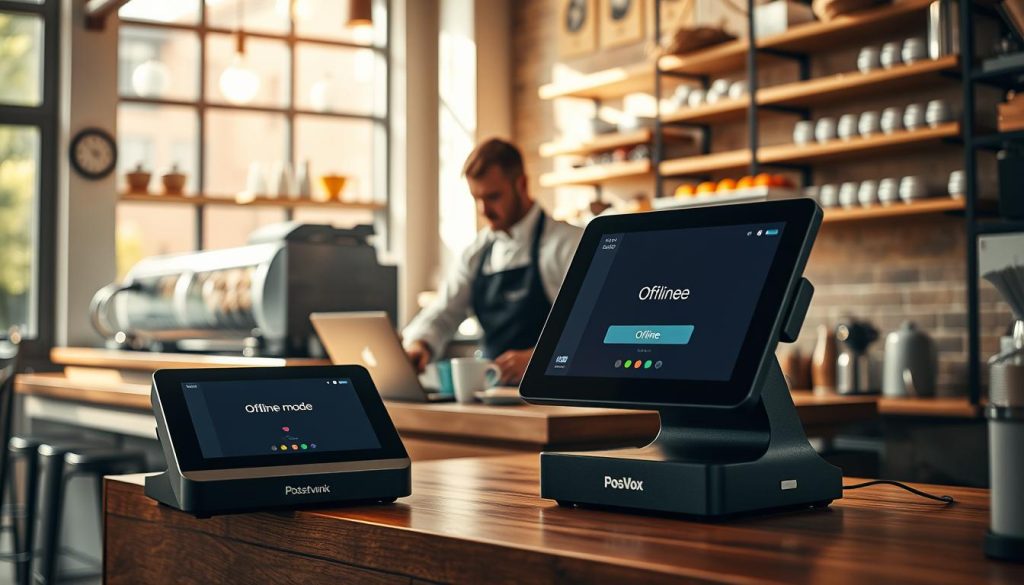
Most modern platforms need you to turn on the offline feature in your dashboard. Go to your payment settings and find the option for temporary storage of card data. Once it’s on, your system will go into offline mode when it loses network signal.
It’s key that your staff knows when the system goes offline. Try disconnecting your router to see how it changes. This test will help your team feel ready for POS offline transactions.
Setting Transaction Limits for Security
Offline modes are great, but they’re not without risks. You can’t check if funds are available in real-time. So, it’s important to set limits to keep your money safe. A good rule is to limit how much you can sell in one transaction.
Here are some tips for setting limits for POS payment processing:
- Start with a low per-transaction limit to avoid chargeback risks.
- Set a daily limit for offline sales to keep your exposure low.
- Make managers approve any big transactions that go over your limit.
By setting these limits, you control your POS payment processing and keep your customers happy. Remember, POS offline transactions are meant to be temporary. Keeping your limits strict helps protect your business until the internet comes back.
Step Two: Managing Customer Data During Outages
Keeping your customers’ data safe is key, even when you’re offline. Your offline POS system must protect all transaction data like a vault. High POS security standards prevent data loss and risk.

Capturing Payment Information Securely
Offline, your system stores card data locally. It’s critical that your hardware uses end-to-end encryption to safeguard this data. Make sure your software masks card numbers as soon as they’re entered.
Keeping your software up to date is essential for POS security. Ensure local storage is encrypted to block unauthorized access. This keeps your customers’ financial info safe.
Handling Digital Receipts and Email Queues
Your customers want a smooth experience, even without internet. Modern systems let you queue digital receipts for later. This keeps your communication professional and on time.
Manage these queues by setting emails to send automatically after syncing. This avoids a pile of manual tasks for your team. Here are the best practices for handling data during outages.
| Action Item | Priority Level | Security Impact |
|---|---|---|
| Local Data Encryption | High | Protects cardholder data |
| Receipt Queueing | Medium | Maintains customer trust |
| System Sync Check | High | Prevents data loss |
| Staff Notification | Low | Improves operational flow |
Using an offline POS well means trusting your system to keep data safe. By following these steps, you ensure service quality and keep operations smooth.
Step Three: Synchronizing Data Once Connectivity Returns
Getting your business back online is only half the battle when managing POS offline transactions. Once your internet connection stabilizes, your system must bridge the gap between the local cache and your central cloud database. This transition period is vital for maintaining accurate financial records and inventory levels.

Automated Sync Protocols
Most modern systems use automated sync protocols to handle the heavy lifting for you. As soon as the connection is detected, the software initiates a background process to upload all pending sales data. This POS data sync happens in the background, allowing you to continue serving customers without manual intervention.
The system prioritizes the oldest transactions first to ensure chronological accuracy. By automating this flow, you minimize the risk of human error during the reconciliation process. You can monitor the progress through your dashboard to confirm that all records have successfully reached the cloud.
Resolving Conflicts and Duplicate Entries
Occasionally, a network hiccup might cause a minor discrepancy in your records. If a transaction was partially processed or interrupted, you may encounter conflicts or duplicate entries. It is essential to review your transaction logs to ensure that every sale is accounted for exactly once.
If you notice an error, most platforms provide a simple interface to merge or delete redundant files. Keeping your database clean is crucial for accurate reporting and tax compliance. By taking a few minutes to verify your data, you protect the integrity of your business operations and ensure that your inventory counts remain perfectly aligned with your actual sales.
Best Practices for Staff Training During Internet Failures
When the internet fails, how fast your staff reacts is key. It decides if your business keeps running or stops. It’s a big mistake to only count on technology. The most important thing is your team’s skills during a crisis.
Good POS staff training makes your team ready for anything. They’ll know what to do when the unexpected happens.

Creating an Offline Operations Manual
Give your team a clear guide for when the internet is down. This guide is like a safety net. It tells them what to do and how to handle transactions offline.
Keep this manual where your team can easily find it. Simple, visual instructions help them stay consistent, even without digital tools. Update it often to keep your POS staff training current.
Simulating Outage Scenarios for Employees
Practice is better than just knowing the theory. Plan drills where you cut off the network. This lets your team practice in a safe, low-stress way.
These drills help your team stay calm during real failures. Regular POS staff training makes these drills routine. Use the table below to check your team’s readiness and find areas to improve.
| Training Method | Primary Benefit | Frequency |
|---|---|---|
| Operations Manual | Provides clear, step-by-step guidance | Quarterly Review |
| Live Simulations | Builds muscle memory and confidence | Bi-Annually |
| Role-Playing | Improves customer communication skills | During Onboarding |
Security Considerations When Processing Payments Offline
Offline payment processing has its own set of challenges. When your internet goes down, your POS security is key to fighting fraud. Your hardware must protect sensitive info as well as it does online.

Protecting Sensitive Cardholder Data
Offline, your system stores card details in a local cache. It’s essential to use end-to-end encryption for this data. This way, even if a device is hacked, card numbers stay safe.
Limit who can access your terminals. Only those with the right permissions should handle offline transactions. This cuts down on the risk of data leaks during outages.
Compliance with PCI-DSS Standards
Staying PCI-DSS compliant is a must, even offline. These standards protect your business and customers from data breaches. Your POS provider should offer tools that meet these strict security rules.
Regular audits of your offline workflows are key. If your system isn’t set up right, you might lose payment processing abilities. Make sure your POS payment processing software clears or encrypts data when the internet comes back.
Choosing the Right POS Provider with Robust Offline Features
When your internet connection drops, the quality of your POS vendor selection becomes clear. You need a partner that ensures your business keeps running smoothly. This means your business doesn’t stop just because the Wi-Fi signal fails.
Choosing a provider that knows how to handle pos system offline mode is key. A good system lets you serve customers while you fix the internet issue.
Key Features to Look For
When looking at partners, find software that switches to offline mode automatically. The best systems switch to local storage quickly, without needing your staff to do anything.
Also, make sure your POS hardware works well offline. Look for vendors that offer multi-terminal syncing. This keeps all your devices updated when the internet comes back.
Comparing Top Providers Like Square and Toast
Leaders like Square and Toast set high standards for POS reliability. They both have great offline features, but they work differently based on your business.
Square is known for being easy to use and set up, great for small shops. Toast, on the other hand, has deep features for complex restaurants.
| Feature | Square | Toast |
|---|---|---|
| Offline Mode Capability | Standard | Advanced |
| Hardware Integration | High | High |
| Data Sync Speed | Fast | Very Fast |
| Best For | Retail/Small Biz | Full-Service Dining |
Your choice should match your business needs. By picking a POS vendor that focuses on offline, you keep your business running smoothly. This is true even when the internet is down.
Troubleshooting Common Offline Mode Issues
Dealing with technical problems offline needs a calm and careful approach. Even with modern systems, you might face issues that stop your work. Good POS troubleshooting helps fix these problems fast, keeping your business running smoothly.
Identifying Sync Errors
One big problem is when your system can’t match local data with the cloud server. You might see warning signs or messages in your dashboard. These are signs that your system needs help when the internet comes back.
Look at your transaction logs for “unsynced” or “pending” payments. These errors often happen due to small network problems or cache issues. Training your team well helps them spot these problems early, preventing bigger issues.
When to Contact Technical Support
Some problems are easy to solve, but others need a pro’s help. If restarting doesn’t fix the POS data sync issue, call your provider. Error codes that keep showing up after a stable connection means you need expert help.
If your sales reports don’t match or you’re missing data, contact support right away. They have tools to help with POS troubleshooting. Have your account details and error logs ready when you call. This helps the support team find the problem quickly.
Maintaining Business Continuity Beyond the POS
True business resilience goes beyond your register. It’s about keeping operations running even when the network fails. Your payment terminal is key, but POS business continuity means protecting your whole system. Being ready for the unexpected helps avoid a complete stop when POS connectivity is lost.
Integrating Offline Inventory Management
Keeping stock levels accurate is essential, even offline. Good POS inventory management during outages means having a plan for tracking sales manually. Keep physical logs or a backup digital spreadsheet for every item sold.
When your network comes back, match these records with your system to avoid errors. This way, you avoid common POS troubleshooting issues. Here’s how to stay organized:
- Have a printed price list or a local digital catalog for quick reference.
- Use a simple paper logbook to track item SKUs and quantities sold.
- Assign a staff member to update the system right after connectivity is restored.
Using Mobile Hotspots as a Failover Strategy
Having a backup internet plan is vital when your main one fails. A mobile hotspot is a key backup, keeping your devices online through cellular data. This simple tool can make a big difference in your day.
Test your hotspot setup often to make sure it can handle your transaction volume. Reliable connectivity means having a signal and hardware that can switch networks smoothly. Keep a charged hotspot device in your office for extra protection.
Conclusion
Reliable operations depend on your ability to process sales, no matter the network conditions. An offline POS is a vital safety net for your daily revenue streams.
You protect your bottom line by reducing the impact of unexpected POS downtime. This proactive approach keeps your store running smoothly. Your competitors struggle with frozen screens and lost sales.
Choosing the right POS vendor is key to building a resilient retail environment. Brands like Square and Toast offer robust tools. They help keep your business moving during technical glitches.
Prioritizing POS business continuity makes your staff feel confident every shift. You turn chaos into a standard procedure by preparing for the unexpected today.
Take a moment to review your current setup and check your offline capabilities. Your commitment to preparation creates a better experience for your customers. It also secures a more stable future for your brand.