

Why Family Businesses Need a Smart POS System
Running a family business means more than just managing inventory or serving customers — it’s about preserving legacy, building trust, and ensuring smooth operations across generations. Yet many family-run shops still rely on outdated systems: paper ledgers, cash registers, or generic software that doesn’t scale.
A modern family business POS isn’t just about processing payments. It’s about enabling collaboration between family members, tracking performance across shifts, and growing sustainably — all from one intuitive platform.

How PosVox Free POS Works for Family-Owned Operations
PosVox Free POS is built specifically for small, close-knit teams like family businesses. The entire setup takes less than 10 minutes. No technical expertise required.
Here’s how it works:
- Sign up online at posvox.com — no credit card needed.
- Choose your devices — use any tablet, smartphone, or existing touchscreen monitor (no proprietary hardware).
- Set up your product catalog — add items, prices, categories, and even custom notes for family team members.
- Start selling — the first transaction happens within minutes of setup.
This speed is critical. Whether you’re opening a new bakery, launching a boutique, or revamping a family diner, you can go live before lunch service begins.

Key Features That Make PosVox Ideal for Family Businesses
PosVox Free POS delivers essential tools tailored to family dynamics:
- Role-based access: Assign different permissions to parents, siblings, or teens — so everyone can contribute without overstepping.
- Shift tracking: See who worked when, how much they sold, and when they clocked out — perfect for fair wage management.
- Multi-location sync: If your family runs multiple stores, data stays consistent across locations in real time.
- Simple reporting: Generate daily sales summaries, top-selling products, and profit margins with one click.
- Offline mode: Keep accepting payments during internet outages — data syncs automatically when back online.
These features aren’t just convenient — they help prevent misunderstandings, reduce errors, and strengthen accountability among family members.
No Hardware Lock-In: Freedom to Scale on Your Terms
Many POS providers tie you to expensive, branded hardware. This creates long-term dependency and limits flexibility — especially if a family member wants to upgrade or switch devices.
With PosVox Free POS, there’s no hardware lock-in. You can use:
- Your personal tablet
- An old Android device
- A second-hand touchscreen monitor
- Even a laptop with a USB receipt printer
This freedom means you can scale without upfront investment. When your family expands, you don’t need to buy new equipment — just add another device and assign roles.
Real-Time Sales Tracking & Family Collaboration Tools
Transparency is key in family businesses. Miscommunication over sales numbers or shift hours can strain relationships.
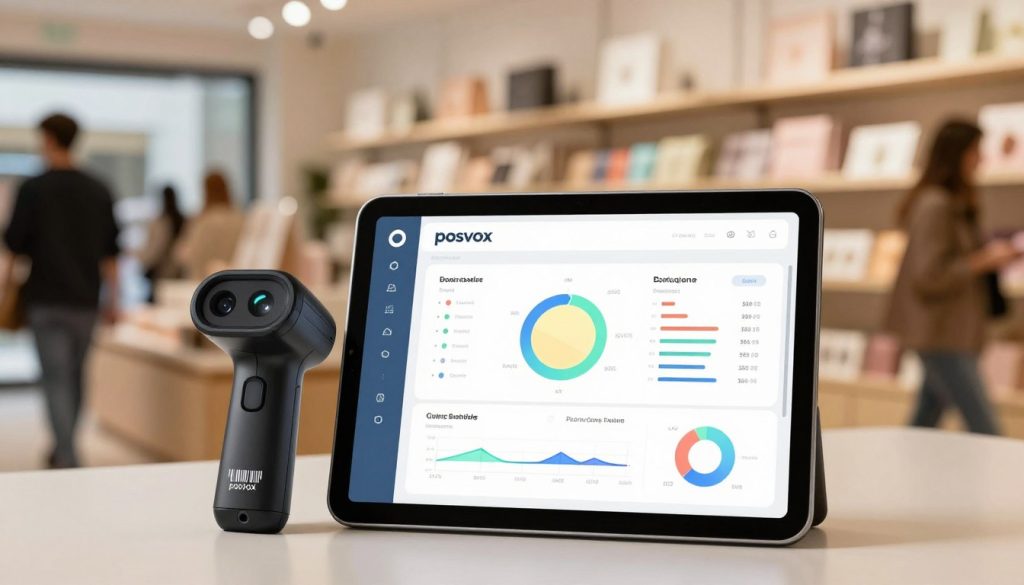
PosVox Free POS gives every family member visibility into real-time performance through:
- Dashboards: View daily revenue, customer count, and popular items instantly.
- Notifications: Get alerts when a sale is made, a low-stock item is sold, or a shift ends.
- Shared calendars: Schedule shifts, holidays, and events together — no more missed coverage.
These tools turn your POS into a shared command center — not just a payment processor.
FAQs About Family Business POS Systems
Q: Can I really open my family business in 10 minutes with PosVox Free POS?
Yes. From signup to first sale, the entire process takes under 10 minutes. No installation, no training, no waiting. Just set up your store, add your products, and start selling.
Q: Is PosVox Free POS really free forever?
Yes. The core features — including sales processing, inventory tracking, role-based access, and reporting — are completely free with no hidden fees or trial periods. You only pay if you upgrade to advanced features later.
Q: Do I need special hardware to use PosVox Free POS?
No. Unlike other systems that require proprietary terminals, PosVox Free POS runs on any standard tablet, smartphone, or computer. Use what you already have — no hardware lock-in ever.
Q: How does PosVox Free POS support multiple family members working together?
PosVox Free POS allows you to create user accounts with customized permissions. For example, a parent can manage inventory and reports, while a teen can handle checkout. Each person sees only what they need — reducing confusion and improving accountability.
Q: Can I track sales by employee or shift?
Absolutely. Every transaction logs the staff member who processed it. You can generate shift reports showing total sales, average ticket size, and time worked — ideal for payroll and performance reviews.
Q: What if my internet goes down? Will I lose sales?
No. PosVox Free POS includes offline mode. You can continue taking payments even without an internet connection. All transactions sync automatically once the connection returns — no data loss.
Q: Does PosVox Free POS work for both retail and dining businesses?
Yes. Whether you run a family-run gift shop, café, or restaurant, PosVox Free POS supports table management, order splitting, modifiers, and kitchen printing — all without extra cost.
Q: Can I move my business to a new location without switching POS systems?
Yes. With PosVox Free POS, you can seamlessly transition to a new storefront. Just install the app on a new device, log in, and your full history, inventory, and settings follow you — no re-entry needed.

