
Did you know nearly 40% of retail businesses fail to grow? They can’t keep stock levels the same across different stores. This makes customers unhappy and leads to lost sales. So Multi Location Inventory management is very important.
Using a centralized POS dashboard can fix this. It connects all your stores into one place. This way, you avoid the problems that come with growing too fast.
Learning to track inventory across many places keeps your brand strong. It helps you work better as you grow. With one system, you can make smart choices that keep you ahead.
Key Takeaways of Multi Location Inventory
- Centralized systems prevent costly operational silos in growing retail chains.
- A unified dashboard provides real-time visibility across all your storefronts.
- Consistent data synchronization is essential for maintaining brand standards.
- Strategic analysis of stock levels helps you scale your business effectively.
- Modern tools simplify the technical setup required for managing multiple sites.
The Strategic Importance of Centralized Inventory Control
Good retail inventory control is key for any retail expansion strategy. As your business grows, it’s important to manage everything from one place. This way, all your stores work together smoothly.
When stores don’t talk to each other, problems arise. Prices might not match, or products might be missing. This can upset your loyal customers and hurt your reputation.
Switching to one system helps you control your brand better. You can make smart choices with the right data. This is critical for any business that’s growing fast.
Using a strong, central system brings many benefits for your retail expansion strategy:
- Consistency: Keep prices and product info the same everywhere.
- Efficiency: Cut down on time spent on paperwork.
- Visibility: See how much stock you have everywhere easily.
- Accuracy: Lower mistakes by automating updates.
Going from one store to many needs a new way of thinking. By focusing on central management, your business stays flexible and profitable. It’s ready for the challenges of a bigger market.
Selecting a POS System Capable of Multi Location Inventory Tracking
Finding the right tech is key for growing businesses. A good system helps you grow profitably and keep quality high everywhere. Make sure your tech can handle a big business before opening new places.
Picking the right inventory management software is very important. It helps you manage stock across many places and online. New tools, like Wix Stores, make it easy to keep track of stock without using old ways.

Look for features that save you money and hassle later. A good system gives you real-time visibility, automatic reports, and can handle many products. Without these, keeping everything the same as you grow will be hard.
Here’s what you need for good multi location inventory tracking:
| Feature | Basic POS | Advanced Multi-Site POS |
|---|---|---|
| Centralized Dashboard | Limited | Full Integration |
| Stock Transfers | Manual | Automated |
| Real-Time Sync | Delayed | Instant |
| User Permissions | Global | Location-Specific |
Your choice of inventory management software affects how well you can grow. Getting a system that does multi location inventory tracking from the start keeps you flexible. Focus on these key features to keep your business strong and growing.
Configuring Your POS for Multiple Storefronts
A good multi-location plan starts with setting up your digital tools right. Using a centralized POS dashboard lets you watch over different places like stores and offices from one spot. The right POS system integration is key for managing your stock well.
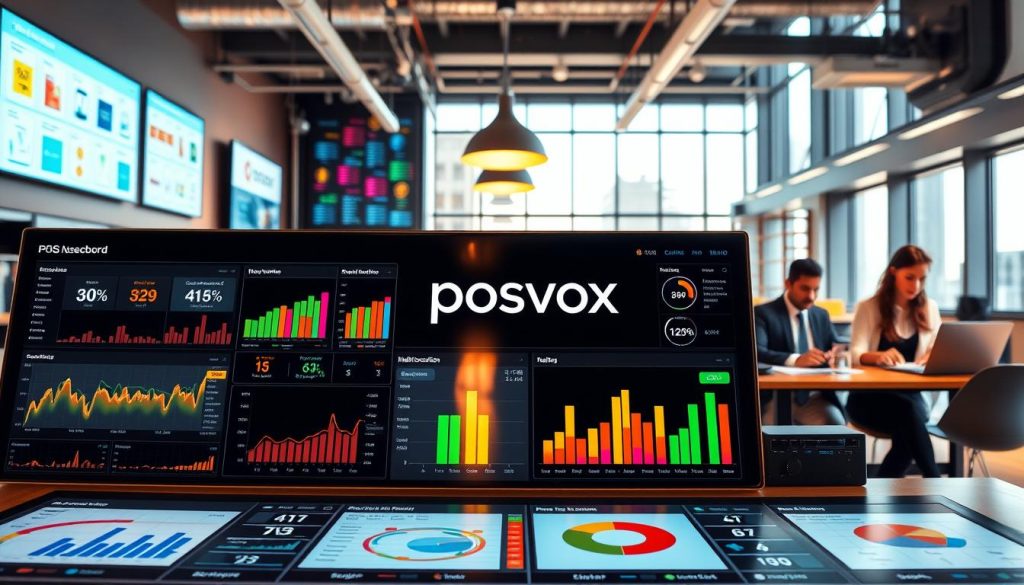
Mapping Individual Store Locations and Warehouses
First, you need to tell your software about each place. Go to your settings and check the box that says “This is an inventory location for my store” for each place.
This makes each place show up on your Inventory page. Accurate mapping helps you see how much stock you have in each area. It’s important for making reports for each place and handling supplies well.
Defining User Permissions and Access Levels
After setting up your places, you must control who can see or change things. Defining user permissions is a big step in keeping your business safe from bad changes or leaks.
You should give roles to your team based on what they need. For example, a warehouse manager might need to see all stock moves. But a store worker might just need to see what’s in their store. This way, you significantly reduce the risk of mistakes and security problems.
Synchronizing Real-Time Data Across All Channels
To get real-time stock visibility, you need a strong digital setup. It should link every store to one main spot. This way, managers can stop using old methods like spreadsheets and phones.
With automatic data sharing, your stock counts stay right, even when it’s busy. This makes your store run smoothly.

Establishing Automated Sync Intervals
Businesses need to set up regular sync times. This keeps the stock info up to date without using too much internet. This way, everyone can trust the stock levels at any branch.
Keeping stock levels the same everywhere is key. It stops you from selling too much and keeps customers happy. Automated workflows make things easier for your team. They can focus on selling more.
Handling Latency and Connectivity Issues
Even top systems can face network problems. Cloud-based systems save data locally if the internet drops. This keeps your records safe and synced when the internet comes back.
It’s also important to deal with slow data. Using edge computing or cloud tech helps. This makes updates fast and smooth. Here’s how different ways of syncing affect your day-to-day.
| Sync Method | Update Frequency | Reliability | Operational Impact |
|---|---|---|---|
| Manual Updates | On-demand | Low | High error risk |
| Scheduled Sync | Hourly | Moderate | Periodic lag |
| Real-Time Sync | Instant | High | Seamless flow |
Standardizing Product Data and SKU Management
Good SKU management is key for accurate inventory data everywhere. When items are named the same way, reports are reliable. This makes it easier to see how things are going.

Implementing a Unified Naming Convention
Using the same names for things makes reports look better. It helps everyone know what to do, no matter where they are. Clear communication stops confusion from different names for the same thing.
Having strict names cuts down on mistakes. It makes work smooth for everyone. And it means everyone knows the same thing, making things more efficient.
Managing Variations and Attributes Across Locations
Keeping track of different things in one place is important. It’s about sizes, colors, or ingredients. Doing this everywhere at once keeps things simple for everyone.
Consistency is key for complex products in many places. It keeps data accurate and makes updates easy. Good SKU management helps your business grow well and accurately.
Executing Seamless Stock Transfers Between Locations
Moving products between locations should be easy, not a big problem. When you get good at stock transfer logistics, your inventory is ready for customers. This stops dead stock in one place and solves shortages in another.

Creating Digital Transfer Requests
Modern POS systems let managers start transfers easily. No more paper spreadsheets or long phone calls. Just a few clicks to make a digital request.
This digitized workflow makes sure the right items are packed and sent. It also tells the receiving location what to expect.
Standardizing these requests cuts down on mistakes. Automated documentation keeps a clear record of every item moved. This is key for keeping accurate records across your stores.
Tracking In-Transit Inventory Status
When a transfer starts, items go into “in-transit” status. This is important for knowing where items are. Real-time tracking lets you see where goods are, so nothing gets lost.
Good stock transfer logistics need this visibility. It helps your team manage customer expectations. Using these digital tools helps reduce waste and keeps popular items in stock.
Automating Reorder Points and Low-Stock Alerts
Using automated reorder points changes how you restock items. It moves from manual checks to using data to trigger restocks. This keeps your shelves full without needing someone to check all the time.
This way, you avoid losing money by running out of important items. It’s a smart move to keep your business running smoothly.

Setting Thresholds Based on Historical Sales Velocity
Good inventory management means knowing how fast items sell. By looking at past sales, you can set smart stock levels. This data-backed approach helps avoid wasting money on too much stock.
When you set these levels, the system watches your stock and sales trends. It adjusts for different sales in different places. This makes sure you have the right amount of items everywhere.
Configuring Automated Purchase Orders
After setting your levels, the next step is configuring automated purchase orders. When stock gets low, the system sends a purchase order to suppliers. This makes restocking fast and accurate, without mistakes.
With automated reorder points, you can grow your business without more work. Your team can focus on helping customers and selling more. This keeps your service levels steady everywhere.
Conducting Accurate Multi-Site Cycle Counts
Keeping stock levels right across many places needs a good plan. When you have lots of stores, inventory data accuracy is key. Small mistakes can grow into big money problems.
Regular cycle counts help make sure your digital records match what’s on the shelves. These checks help find missing items or theft early. This is very important for keeping track of stock well in a busy retail world.

Scheduling Regular Audits Without Disrupting Operations
You don’t have to close your store for a good inventory audit. Try doing audits when it’s quiet or during slow times. This way, your team can check a few items at a time, not the whole store.
Switching which items you check each week keeps your stock counts right. This way, your team can focus on helping customers while keeping stock levels good everywhere.
Reconciling Discrepancies via the Dashboard
If what you count physically doesn’t match your digital records, your POS dashboard helps fix it fast. You can update stock levels right in the system. This makes sure your records are up-to-date.
But, be careful when managing your products. Deleting a product in the Products tab removes it from everywhere and can’t be undone. Always use the adjustment tools in your multi location inventory tracking system to fix counts, not delete items. This keeps your past data safe for future checks.
Analyzing Cross-Location Performance Metrics
Start measuring your business performance across every location. Use a centralized POS dashboard to make decisions based on facts, not feelings. This helps increase your revenue.
Looking at cross-location performance shows your brand’s real health. It helps you see why some places do well and others don’t.
Identifying High-Performing and Underperforming Stores
A centralized POS dashboard lets you compare your branches easily. You can find out which ones do well and which need help.
By watching cross-location performance, you can make all stores successful. Copy the best practices from top stores to improve your whole network.
Leveraging Sales Reports for Inventory Allocation
Sales reports help you manage your inventory better. Move products to places where they sell well, not just sit.
Strategic inventory allocation saves money. Focus on products and places that make the most profit. This keeps you ahead in a busy market.
Keep checking these numbers to stay quick to change. You can adjust to new trends before they hurt your sales.
Integrating E-commerce with Physical Store Inventory
Making digital sales and physical inventory work together is key in today’s retail world. You can manage your online store’s stock by itself or together with your physical stores. The main goal is to keep your data accurate.
Having real-time stock visibility helps your business be confident in all sales channels.
Managing Omnichannel Fulfillment Logic
Good omnichannel fulfillment needs clear rules for where orders go. When someone buys online, your system picks the best place to send it. It usually chooses the closest place to save money and time.
Automating these choices lets your team focus on packing and shipping. A strong system sends orders to the place with the most stock or closest to the buyer. This makes things run smoothly, even when it’s busy.
Preventing Overselling Through Centralized Buffers
Selling something you don’t have is a big risk online. To avoid this, use centralized buffers. They hold some stock for online sales, so your physical store can’t sell it out.
During big online sales, these buffers are very important. They help keep customers happy by making sure you have what you say you do. This way, you avoid canceling orders and keep your brand’s good name.
Troubleshooting Common Synchronization Errors
When your digital setup has problems, acting fast is very important. Even the best inventory management software can have issues. It’s key to keep your multi-site stock synchronization smooth.
Resolving Data Conflicts and Duplicate Entries
Data problems happen when two places try to update the same item at once. Or when manual changes don’t match automated ones. You need to check for duplicate entries to keep your sales reports right. Precision is key for your POS system integration.
Be careful when changing your location settings. Turning off “This is an inventory location” after adding products will lose all inventory data for those items. Always check your settings before making big changes.
“The goal of effective inventory control is not just to track items, but to ensure that the data remains a reliable source of truth for every decision-maker in the company.”
Managing Offline Mode and Data Recovery
Outages or internet drops happen in retail. A good POS system integration lets terminals work offline. Then, it updates the database when the internet comes back.
To make sure your inventory management software works well after outages, do these things:
- Do daily backups of your local cache to avoid losing data in hardware failures.
- Watch the sync status dashboard for any updates that didn’t go through when you came back online.
- Check high-value items by hand to make sure multi-site stock synchronization is right after an outage.
Learning these steps helps you avoid long downtime. Consistency in your troubleshooting approach keeps your business strong. It makes sure your inventory is always reliable, even with technical issues.
Conclusion
Managing stock across many places needs to be precise and use the right digital tools. Keeping all data in one place and automating important steps helps your business grow. This makes your business strong for the long run.
Your tech should help your business grow, not slow it down. A good plan for growing your retail business means keeping stock levels in check. This lets you focus on making a brand that people love.
Tools like Shopify POS or Lightspeed give you the view you need to succeed. Using these systems keeps your team working well, no matter how many stores you have. Use these tips to make your retail growth plan better and increase your profits.
Start checking your current ways of working today. Keeping an eye on your stock health makes your business quick to adapt. Share your stories about managing stock in many places to help others grow their businesses too.

